Windows app · cufflink.reddy.world
Cufflink
Select anything. Press a key. Hear it.
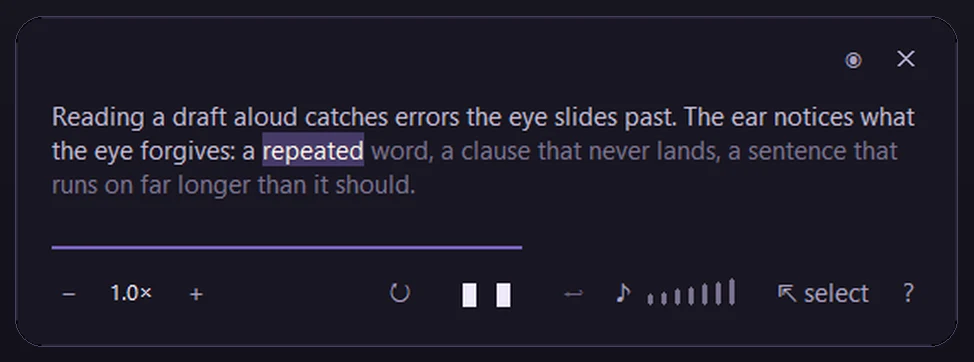
Cufflink reads the text you select aloud, in any program on Windows, and lights up each word as it goes. Select some text in a browser, an email or a document, press Ctrl + Alt + M, and a small window appears straight away with the whole selection in it. It’s free and open source. Install it from cufflink.reddy.world.
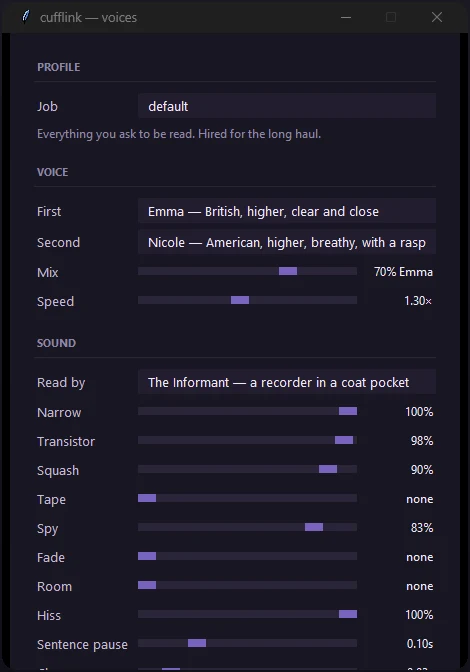
These pictures are Cufflink’s own window, from its code on GitHub.
What you can do
- Pause by clicking the text. Change the speed and the volume, or let it read the same text again until you stop it.
- Turn on select mode, and everything you select is read straight away.
- Go back to the window you were reading from with one key.
- Pick who reads to you: five voices, each with its own character. Or blend two speakers and shape the sound with eight dials, from tape flutter to hiss.
- Let your own programs speak through it: while it runs, any program on the same computer can send it text to read.
The hard parts
The window comes first. The reading window appears the moment you press the key, with the whole selection in it, rather than waiting for the first sound.
Speech on your own computer. The voices are made by a small speech model on your PC, not by a cloud service. The installer downloads the model once and checks each file before keeping it. After that, reading aloud works with the internet switched off.
Out of the way when you don’t need it. The text you select is held in memory only while it is read, then forgotten. Select mode is the only part that listens to the mouse, and only while it is on.