Browser extension · Chrome and Brave
Reddy.Neuro
Websites are loud. Turn them down.
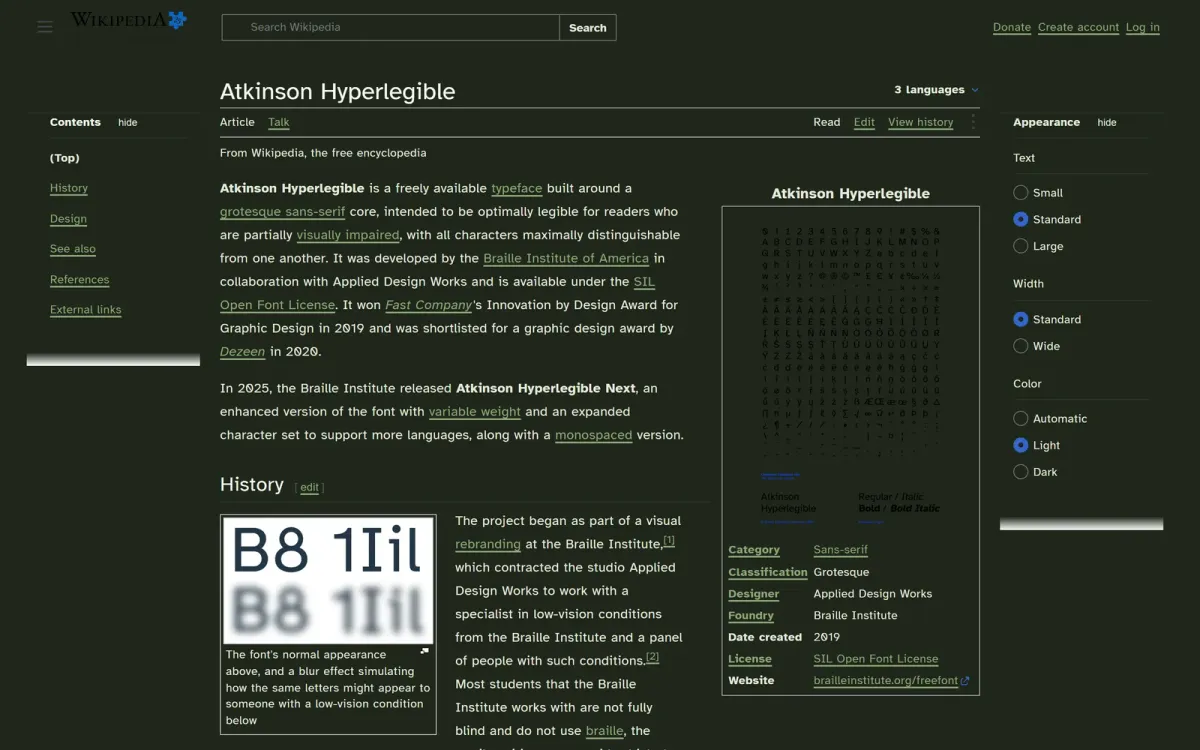
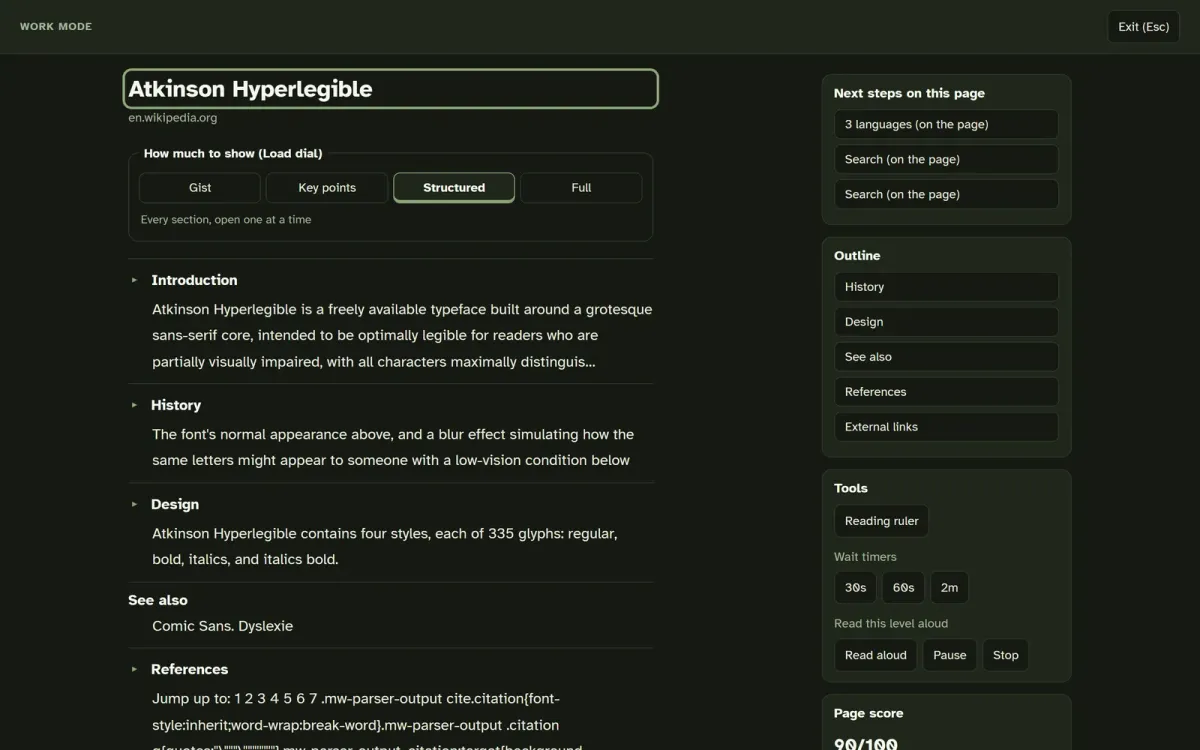
NeuroOverlay is a browser extension that makes any website calmer to read. It sets a clear typeface, soft colours and comfortable spacing, adds a reading ruler, and fades sidebars and ads. Add it to Chrome or Brave from the Chrome Web Store.
I made it for people who tire quickly on glaring, cluttered pages, with ADHD in mind. It runs on your device: no page content, history or settings leave it.
What you can do
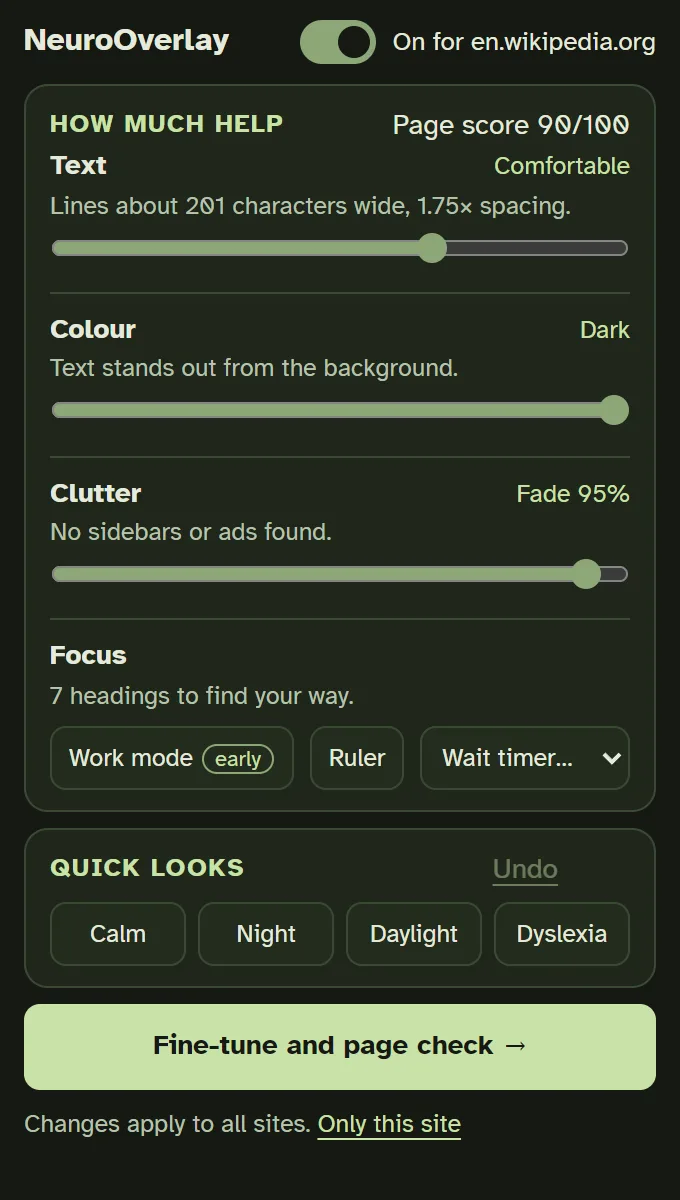
- Set how much help you want with four sliders: Text, Colour, Clutter and Focus. Or pick a quick look: Calm, Night, Daylight or Dyslexia.
- Choose the font (Atkinson Hyperlegible, Lexend Deca or OpenDyslexic), the line length, and the space between lines, letters and words.
- Read in a soft dark theme such as Velvet Olive, or in a calm, paper-like light one.
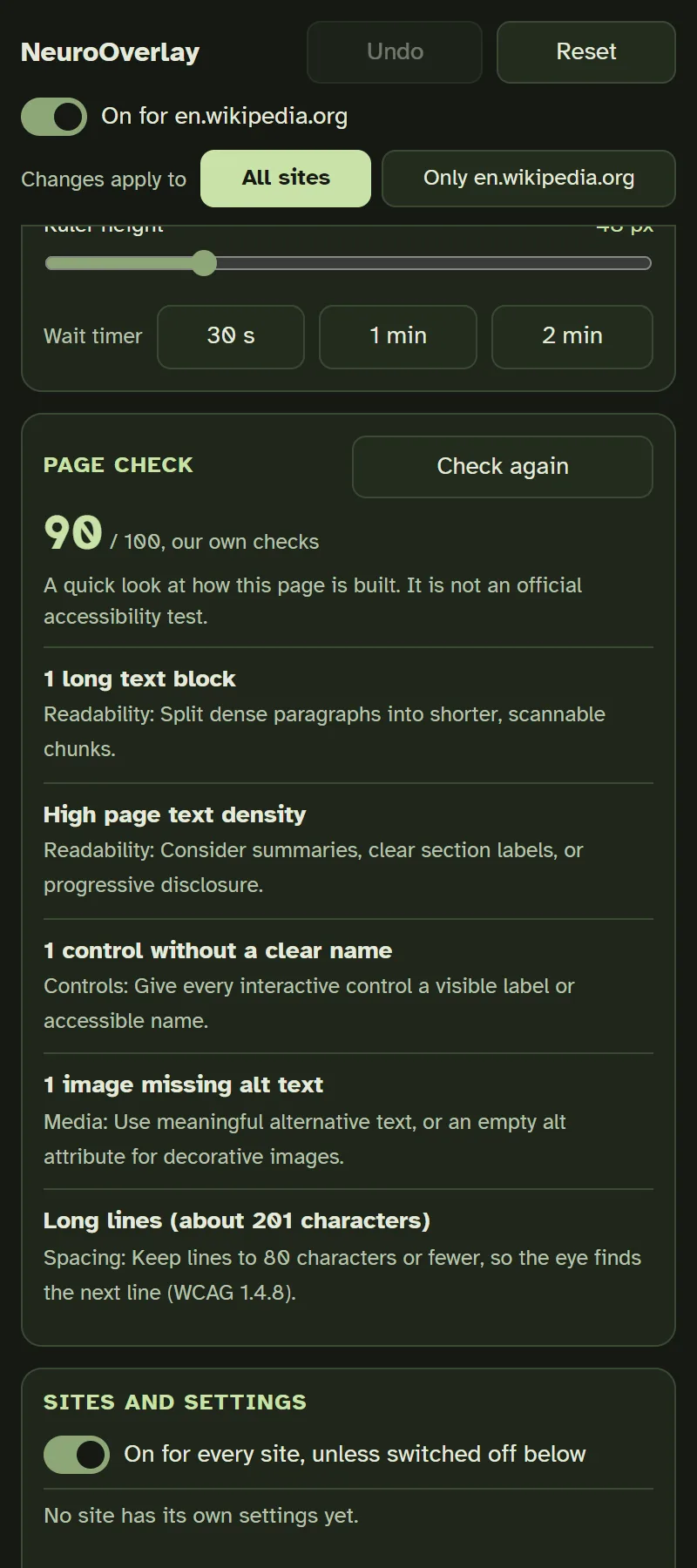
- Turn on a reading ruler, or set a wait timer of 30 seconds, 1 minute or 2 minutes.
- Open Work mode for a quiet view of the page. A dial shows the gist, the key points, the structure or everything, and it can read the text aloud.
- Keep your settings for every site or for one site only, or switch a site off.
- Run a page check: a score out of 100 from its own checks, with what to improve.
The hard parts
Invisible to the page. The styles go in through the browser rather than as a style element in the page, and every name the extension adds is random for each install. A website’s own scripts can’t recognise it.
Off means off. A site you switch off gets nothing at all: no script and no styles. The extension tells the browser where to run, rather than running everywhere and staying quiet.
Fading without hiding what matters. Sidebars and ads fade, but alerts, warnings and pop-up choices never do, and a faded block comes back when you hover over it.
Everything on your device. Work mode and the page check read the page in your tab and send nothing anywhere. The fonts come with the extension, so none is downloaded.
You can also try the settings without installing anything, in the Web Studio at neuro.reddy.world.